1. Overview
USB 3.0 is a high‑speed universal serial‑bus interface with a theoretical bandwidth of 5 Gbps. As one of the core high‑speed ports on a docking station, it provides high‑speed data transmission and peripheral expansion between the host computer and external devices, and can also deliver power supply.
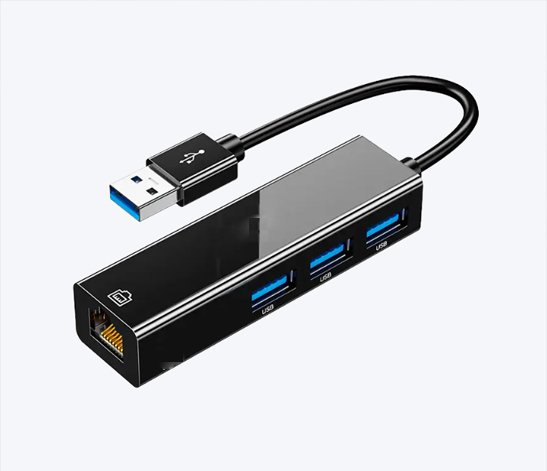
2. Main Application Scenarios
2.1 High‑Speed Data Transfer
Connect portable hard drives, USB flash drives and SSDs for fast reading and writing of large‑size files such as videos, images and installation packages.
Attach card readers to quickly transfer large‑volume media files from camera memory cards. Compared with USB 2.0, USB 3.0 greatly improves transmission speed and shortens the waiting‑time for copying large files.
2.2 Peripheral Expansion
It expands the available USB ports of the host device for connecting a wide range of peripherals: ‑ Office devices: mouse, keyboard, printer, scanner; ‑ Audio‑video devices: webcam, microphone, external sound card, USB headset; ‑ Industrial accessories, security dongles and USB keys.
2.3 Video Output (Dock Chip‑Dependent)
Docking stations built‑in with DisplayLink or USB‑to‑Video chips can output video signals to external HDMI / DP monitors for multi‑screen extension and screen mirroring.
Note: A native USB 3.0 port cannot output video directly. A dedicated video‑conversion chip inside the dock is required.
2.4 Downstream Power Charging
USB 3.0 ports can supply 5 V power to small devices such as mobile phones and tablets. ⚠️ Standard USB 3.0 provides limited output current and does not support fast charging. Extra fast‑charge IC is required inside the docking station for fast‑charging function.
2.5 Network Conversion
Some docking‑station models convert USB 3.0 signal into Gigabit Ethernet (RJ45) to provide stable high‑speed wired network for high‑definition video streaming and large‑data transmission.
2.6 Audio Adaptation
Connect an external USB sound‑card to output audio signals to speakers or power amplifiers.
3. Advantages & Disadvantages of USB 3.0 on Docking Station
Advantages
Fast transmission speed with 5 Gbps bandwidth, ideal for large‑file transfer;
Strong backward‑compatibility: works with USB 2.0 / USB 1.1 peripherals;
Powerful expansion capability: supports conversion to video, Ethernet, audio and other signals;
Plug‑and‑play, easy installation with no‑driver or simple‑driver setup.
Disadvantages
Native USB 3.0 has no built‑in video‑output function; multi‑display extension relies on third‑party video chips;
Limited power output, cannot deliver high‑power charging for laptops (laptop power delivery is usually realized via Type‑C PD port);
USB 3.0 signals may cause minor interference to 2.4 GHz Wi‑Fi and wireless mouse receivers.
4. Precautions
To achieve full 5 Gbps speed, both the cable and connected peripheral device must support USB 3.0 specification;
USB 3.0 cannot be used for high‑power laptop charging; PD power supply is usually provided via Type‑C port;
When multiple devices (monitor, Ethernet adapter, storage drive) share one USB 3.0 channel on the dock, bandwidth will be shared and divided;
Identification: USB 3.0 ports are usually marked with a blue plastic insert to distinguish them from black‑colored USB 2.0 ports.